CH47 Reinforcements
At Rust's oil rigs, a CH47 helicopter brings heavy scientists when a player starts to hack the locked crate, and the alarms go on. With a CH47 Landing Zone you can set up this event anywhere on your map.
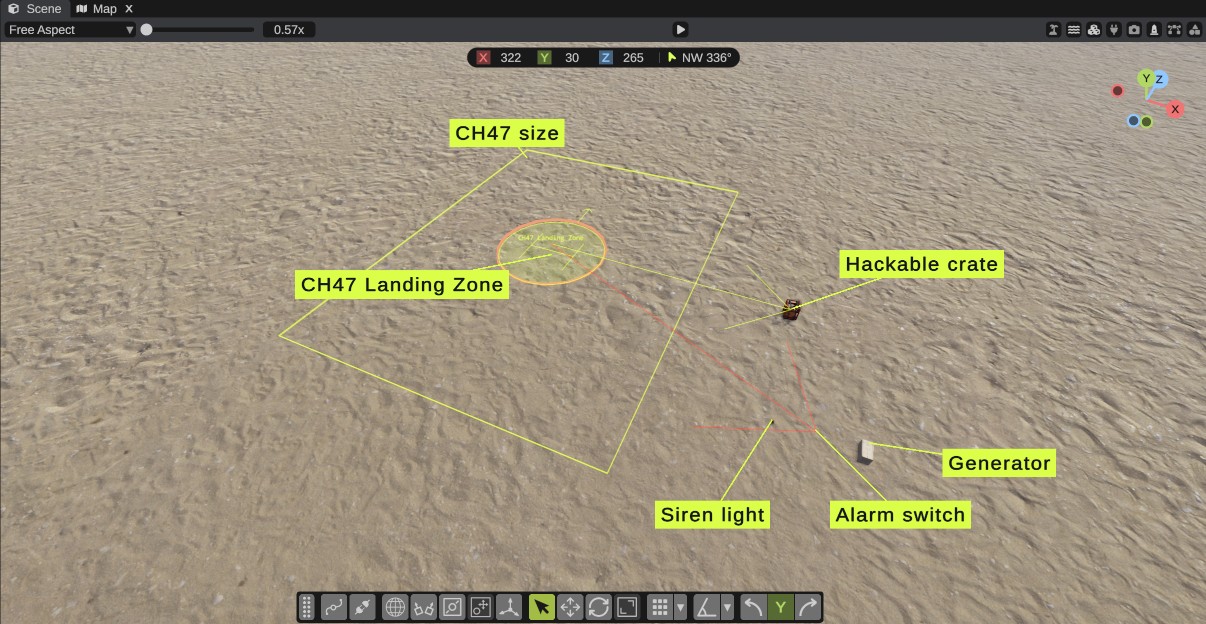
What happens in the game
- A player starts to hack one of the landing zone's crates.
- A CH47 starts far away, on the side of the landing zone away from the map's center, and flies in. On its way it stays at least 30 m above the ground and anything on it, such as hills, rocks and buildings.
- The landing zone's alarm switches go on. Their siren lights and alarms get power.
- The CH47 lands on the landing zone, nose first, the way the landing zone's arrow points.
- The heavy scientists get out one by one. Then the CH47 flies away.
- When the hack ends, the alarm switches go off. They also go off when the crate is destroyed during the hack.
Only one CH47 comes at a time. While a CH47 is on its way or on the ground, a new hack does not call another one.
The event needs the RustEdit 2 server extension, and the map must be exported with Entities set to In RustEdit data. See Export Map. Nothing happens in Play mode.
What you need
| Part | What it is | Where to find it |
|---|---|---|
| CH47 Landing Zone | Where the CH47 lands. It holds the links to everything else. | Content Browser > Server Objects |
| A hackable crate | The crate that starts the event when a player hacks it. Any hackable crate works, such as codelockedhackablecrate_oilrig. | Search the Content Browser for hackablecrate |
| An alarm switch (optional) | Turns on when the hack starts and passes power to sirens and lights. | Search the Content Browser for alarmsytstem (Rust spells it this way) |
| A power source (optional) | Gives the alarm switch power, such as generator.static. | Search the Content Browser for generator |
| Siren lights and alarms (optional) | What the alarm switch turns on, such as sirenlightorange and alarmsound. | Search the Content Browser for siren or alarmsound |
The crates and alarm switches can be anywhere on the map. They do not need to be near the landing zone.
How to set up the event
1. Place the landing zone
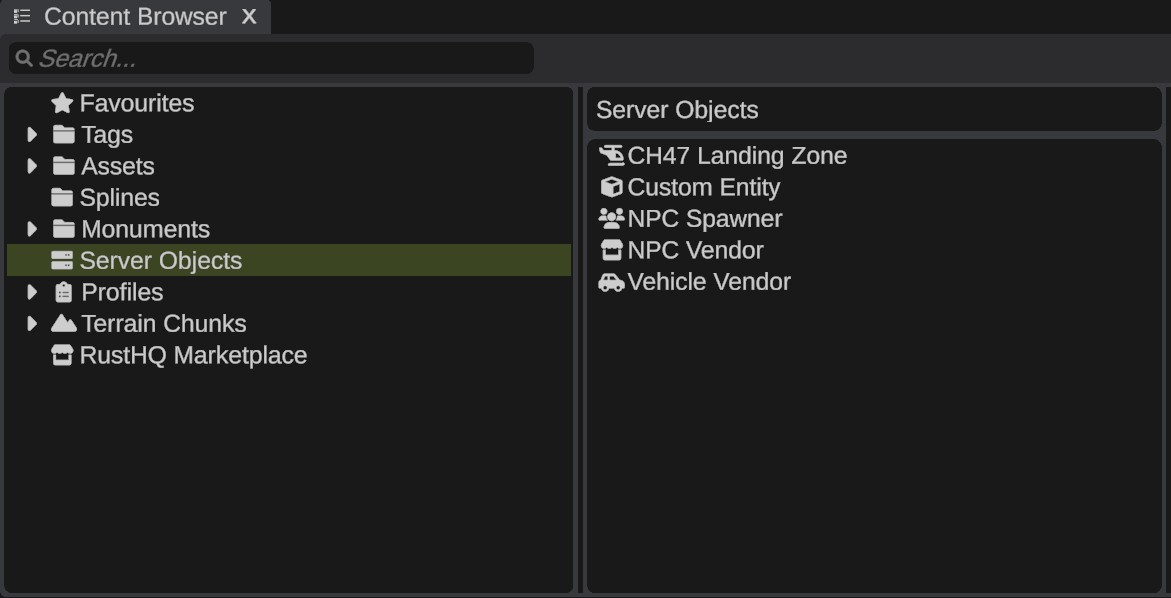
- In the Content Browser, open Server Objects.
- Drag CH47 Landing Zone into the scene, onto open ground.
- Turn it so its arrow points the way the CH47's nose must point when it lands.
The scene view shows the landing pad with an H and an arrow. When you select the landing zone, it also shows a box of the CH47's size: 33 m wide and 44 m long with its rotors.
Keep the box free of buildings, rocks and trees, with open sky above. The CH47 lands within 5 m of the pad's center and must fly down to it.
2. Place a hackable crate
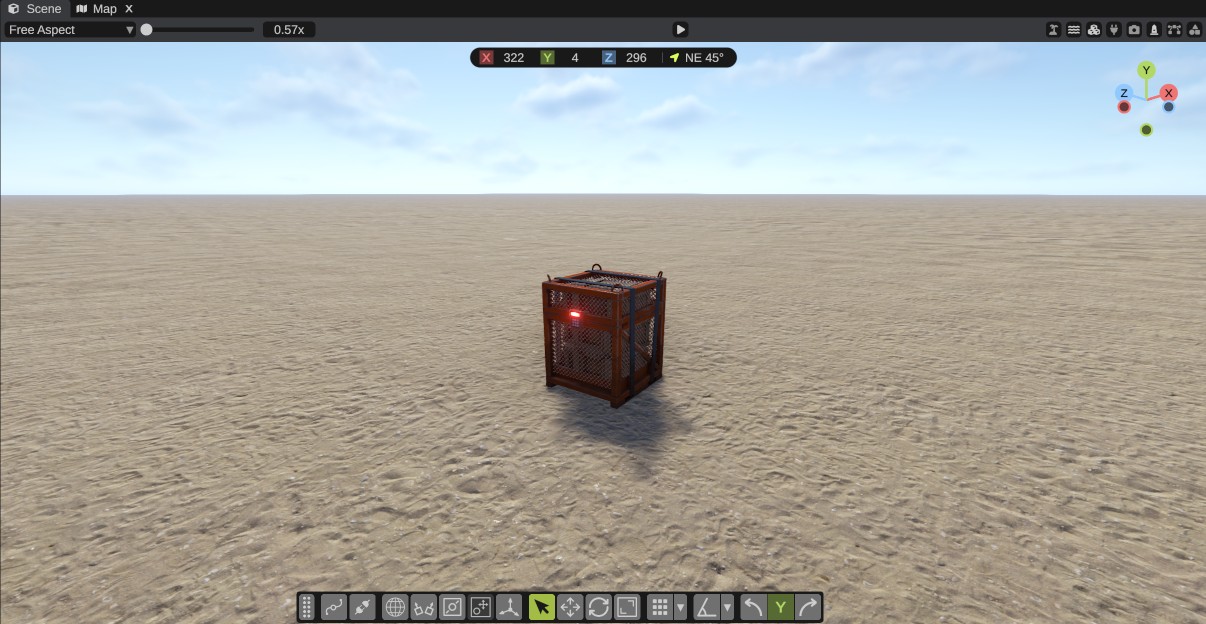
Place a hackable crate where players must hack it. It can be on the landing zone's side, on a roof, or inside a building.
3. Set up the alarm (optional)
- Place a power source, an alarm switch and one or more siren lights or alarms.
- Wire the power source's output to the alarm switch's input.
- Wire the alarm switch's output to a siren light or an alarm.
See IO Wiring for how to connect wires.
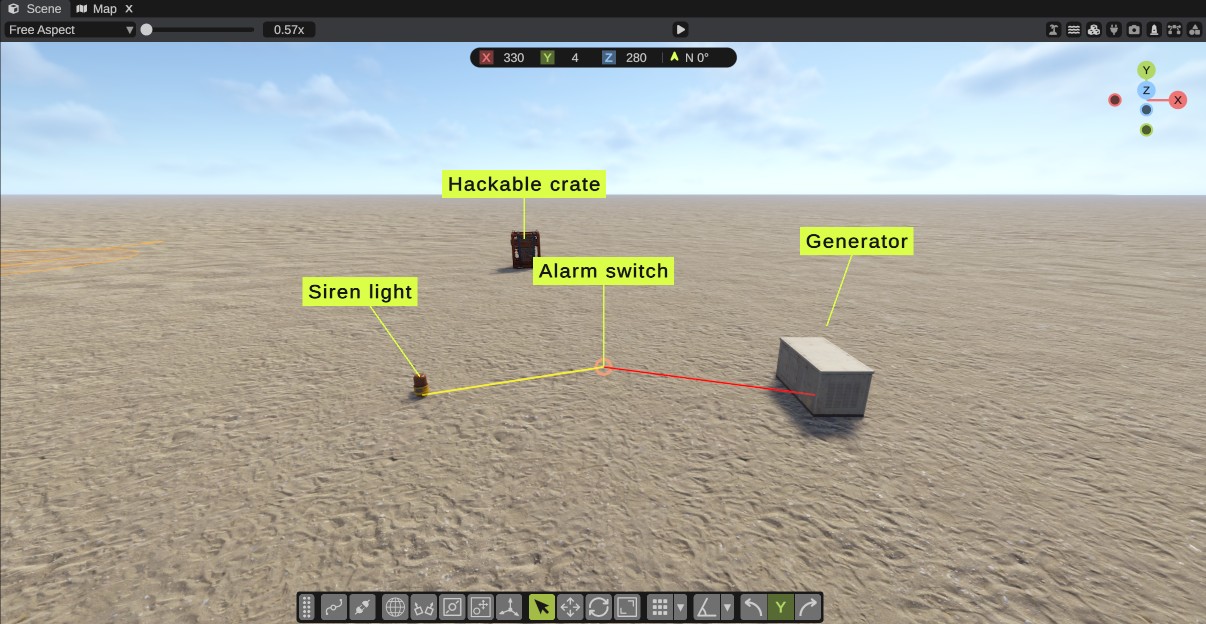
The alarm switch has one output. To power more than one siren light, wire the alarm switch to a splitter first, then the splitter to the sirens.
The alarm switch has no model in the game. In RustEdit it shows as a small marker.
4. Link the crate and the alarm
- Select the CH47 Landing Zone.
- In the Inspector, click + next to Crates. RustEdit links the nearest hackable crate that is not linked yet, within 150 m.
- Click + next to Alarms. RustEdit links the nearest alarm switch in the same way.
- To link another crate or alarm, click + again, or drag the entity from the Hierarchy onto a row.
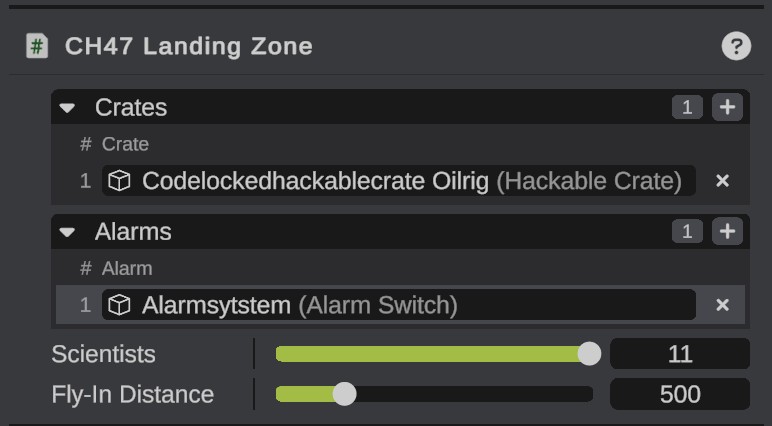
Each row takes only the right kind of entity. If you drop another kind, the Notifications panel says why. When you select the landing zone, arrows show the linked crates and alarms in the scene view.
5. Set how many scientists come
Set Scientists to how many heavy scientists the CH47 drops off, from 1 to 11. Rust's small oil rig has 11, and the large oil rig has 6.
6. Export the map
Export the map with Entities set to In RustEdit data. See Export Map.
The export writes a warning in the Notifications panel when a landing zone has no crates, or links an entity that is not in the scene any more.
Options
| Option | What it does |
|---|---|
| Crates | The hackable crates that call the CH47. A hack of any of them starts the event. |
| Alarms | The alarm switches that go on while a crate is hacked. |
| Scientists | How many heavy scientists the CH47 drops off, from 1 to 11. |
| Fly-In Distance | How far away the CH47 starts, from 100 to 2000 meters. The oil rigs use 500. |
All the settings are also in the CH47 Landing Zone reference.
Tips
- One landing zone can have many crates. A hack of any of them calls the same CH47.
- A crate can be linked to more than one landing zone. Then a hack calls a CH47 to each of them.
- When you duplicate a landing zone together with its crate and alarm, the copy links to the copied crate and alarm.
- The heavy scientists walk on Rust's own navigation mesh. On land and near the shore this works by itself.
- The heavy scientists need spots to walk to and to hide behind. Rust has these only inside its monuments. The server extension gives each landing zone its own, within 60 m of the pad: walk spots on open ground, and hiding spots next to rocks, walls and other things that stand there. Inside a Rust monument, the monument's own spots are used.
Troubleshooting
| Problem | What to do |
|---|---|
| No CH47 comes. | Check that the map was exported with In RustEdit data and that the server runs the server extension. Check that the crate is in the landing zone's Crates list. |
| No second CH47 comes. | Only one CH47 comes at a time. Wait until the first one has flown away. |
| The CH47 cannot land. | Make the area of the CH47's box clear, with open sky above. |
| The scientists stand still. | Rust has no navigation mesh far out at sea. Put the landing zone on land or near the shore. Check that there is open, flat ground within 60 m of the pad: the server log says when a landing zone has none. |
| The sirens stay off. | Check that the alarm switch has power: a power source must be wired to its input. |