Splines Overview
A spline is a smooth line through points that you place, called knots. In RustEdit you use splines for Rust's roads, rivers, rails and power lines, for APC and cargo ship routes, and, with RustEdit Pro, to shape the terrain or place prefabs along a line.
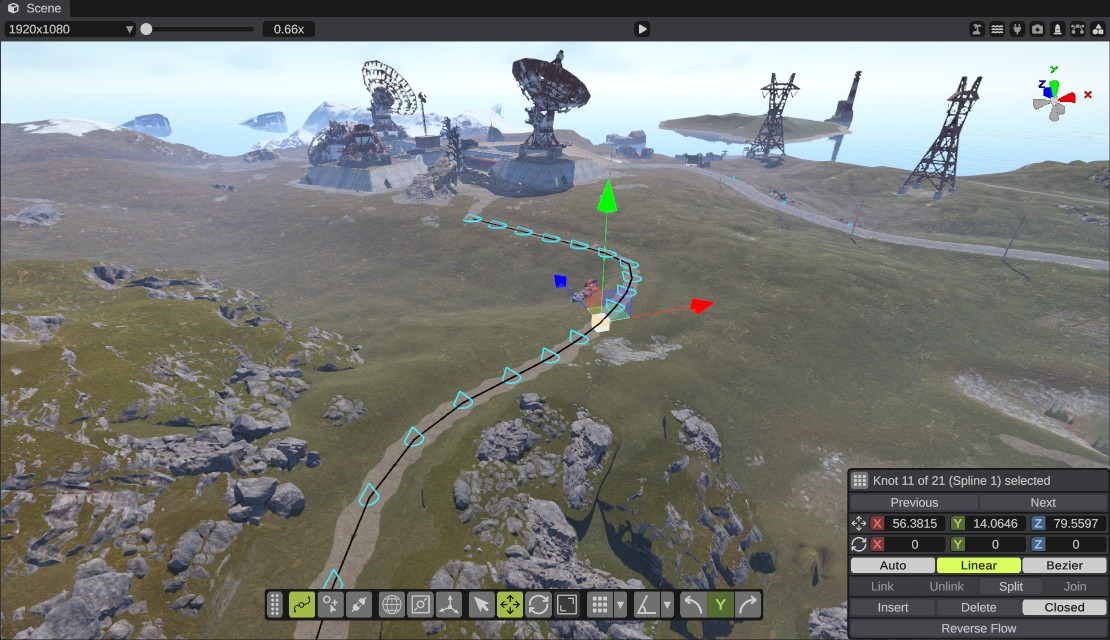
Spline entities
Splines live in a spline entity. A spline entity is an object in the scene, like a prefab. It shows in the Hierarchy, you can move and rotate it, and it is saved with the scene.
- One spline entity can hold several splines. For example, a road network can be one entity with many splines whose ends are linked.
- Each spline is a list of knots. The curve goes through the knots, and the knots' tangents set how it bends.
- The entity's Spline Component decides what its splines are for. Each spline of the entity then gets its own type, such as Road or River.
A spline entity has one spline component. To have roads and a terrain shape, use two spline entities.
The kinds of spline
| Spline Component | Types | What the splines do | Tier |
|---|---|---|---|
| None | none | Plain splines. They only draw a line. With RustEdit Pro, the terrain graph's Spline Mask node can use them as a mask. | Free |
| Spline Path | Road, River, Rail, Powerline, APC, Cargo Path, Cargo Stop | Rust's own paths, and the routes of the APC and the cargo ship. See Path types. | Free |
| Terrain Spline | Road Bed, Ridge / Canyon, Shape Area, Paint Area | Shape and paint the terrain along the line or inside it. See Terrain splines. | RustEdit Pro |
| Prefab Spline | Prefab Line, Prefab Area | Place prefabs along the line or inside it. See Prefab splines. | RustEdit Pro |
Without RustEdit Pro, the terrain and prefab types are listed in the type dropdown but greyed out. A scene that has them still opens: the splines stay, but they do not change the terrain or place prefabs.
How to make a spline
- Open the Content Browser and go to the Splines folder.
- Drag a shape into the scene view, or double-click it. For example, Linear Spline is a straight line of three knots, and Circle Spline is a closed loop. RustEdit places a new spline entity and selects it.
- In the Inspector, click Activate Spline Edit Mode.
- In the Spline Component dropdown, pick what the splines are for, for example Spline Path.
- In the panel of that component, open Paths, then the row of the spline (Spline 0 is the first spline), and pick its Type.
To draw your own line instead of a shape, place Empty Spline and draw it. See Editing splines.
The Splines list, the Spline Component dropdown and the path panels show only in spline edit mode.
Show or hide all splines
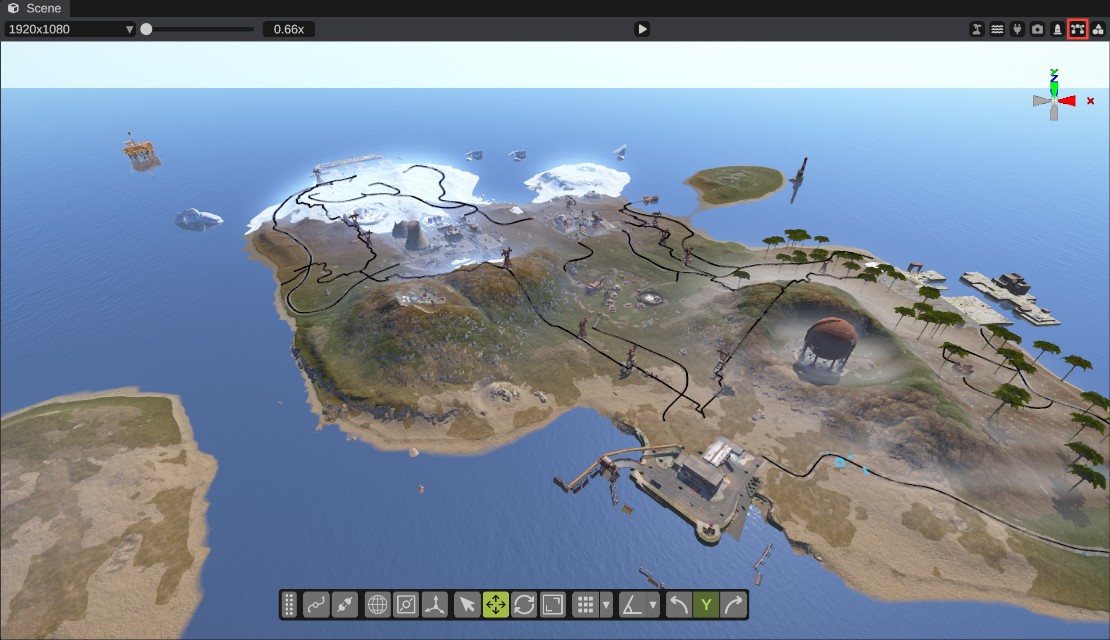
Splines can hide the map while you work on other things. The scene view's header has a button to show or hide them. Its tooltip says "Show all splines".
- On: every spline is drawn.
- Off: only the splines of the selected spline entities are drawn.
The button hides the spline lines and the drawings that paths add, such as the cargo ship's arrows and the APC checks. Road, river and rail meshes stay. RustEdit keeps the setting for the next time you start it.
Saving and exporting
Spline entities are saved in the scene file with all their knots and settings. When you export a map, each kind goes to its own place:
| Spline | In the exported map |
|---|---|
| Road, River, Rail, Powerline | Rust's own path list, which the game reads. |
| APC, Cargo Path, Cargo Stop | RustEdit's server data, as points spaced along the spline. See APC paths and Cargo paths. |
| Terrain Spline | The changes are part of the exported terrain. |
| Prefab Spline | The placed prefabs are exported like any other prefab. |
| Plain splines, and the terrain and prefab splines themselves | RustEdit's own data in the map, so RustEdit can open them again. |
When you open a map, RustEdit turns each road, river, rail and power line of the map into a spline entity named after it, for example "Road 1". A map that RustEdit 2 exported also gets its APC and cargo splines back, made from the exported points with fewer knots.
See Export a map.