Add and Import IO
RustEdit ProIn the IO Circuit window you can place new IO entities without the Content Browser: from the canvas menu, or at the loose end of a wire. You can also import a whole circuit that you built on rustrician.io.
How to add IO entities
- In the IO Circuit window, right-click the empty canvas and pick Add IO Entity.
- Pick a group, then the IO entity. Each one shows the icon of its Rust item. Under Map parts are the prefabs that no item places. RustEdit places the IO entity in front of the camera, on the ground in the middle of the scene view, and selects it. Its node goes where you right-clicked.
- Move the IO entity to its place in the scene view, for example with the move tool.
When you add more IO entities and the camera stays where it is, each new one goes beside the one before, so they do not stand on each other.
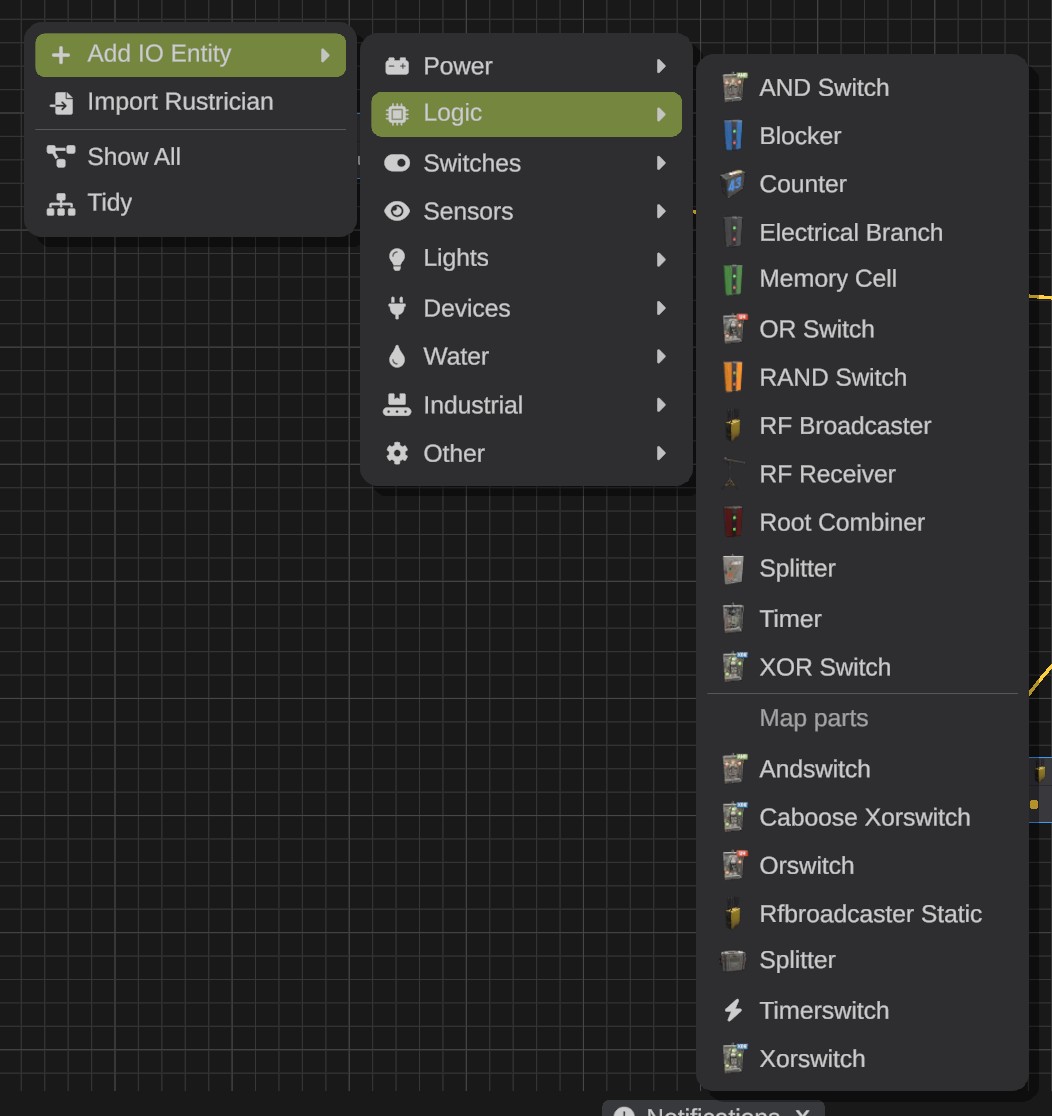
| Group | What is in it |
|---|---|
| Power | Generators, solar panels, wind turbines, water wheels and batteries. |
| Logic | Splitters, branches, combiners, blockers, memory cells, AND, OR and XOR switches, timers, counters and RF broadcasters and receivers. |
| Switches | Switches, buttons, smart switches, card readers, fuse boxes, wheel switches and door controllers. |
| Sensors | HBHF sensors, laser detectors, pressure pads, seismic sensors, smart alarms, storage monitors and digital clocks. |
| Lights | Every light, neon sign and string of lights. |
| Devices | Everything else that takes power, for example turrets, doors, heaters and furnaces. |
| Water | Water catchers, barrels, pumps, purifiers, fluid switches, combiners, splitters and sprinklers. |
| Industrial | Conveyors, crafters, storage adapters, industrial combiners and splitters. |
| Other | Kinetic and generic IO entities. |
The list has every Rust prefab with an IO entity, also the hidden logic parts of Rust's monuments that no item places. Those are under Map parts in each group, named by their file, for example Generator Static. When two parts have the same name, the name ends with the prefab's folder in parentheses.
Add an entity from a wire
- Drag a wire from a port.
- Let go on the empty canvas. A menu opens with only the IO entities that can take the other end of the wire.
- Pick one. RustEdit places it in front of the camera and wires it, in one step.
From an output, the wire goes to the new IO entity's first free input of the same type: its main power input when it has one. From an input, the new IO entity's first output of the same type is wired to it. An output that has a wire already moves its wire to the new IO entity, as a drag does.
Import a Rustrician circuit
Rustrician is a website where you build and test Rust circuits. RustEdit can place a circuit you made there.
- On rustrician.io, export your circuit as an
.xmlfile. - In the IO Circuit window, click Import Rustrician on the bar at the top of the window. Or right-click the empty canvas and pick Import Rustrician.
- Pick the
.xmlfile. RustEdit places the circuit in front of the camera, on the ground in the middle of the scene view, and selects all its IO entities. - Move the selected IO entities together to their place.
What the import does:
- Each part becomes the Rust prefab that its item places. The parts are laid out as on Rustrician's page: its right is the camera's right, its top is away from the camera, and 64 pixels there are 1 meter.
- The wires are made between the slots of the same names, with Rustrician's wire colors where it has them (the nearest of Red, Green, Blue and Yellow).
- These settings are set: Frequency of RF broadcasters and receivers, Branch of electrical branches, Duration of timers and Target of counters. Rustrician's own settings for its simulation, such as power amounts, sun and wind, are not in the game and are not used.
- Their nodes go right of the nodes the graph shows, laid out as on Rustrician's page.
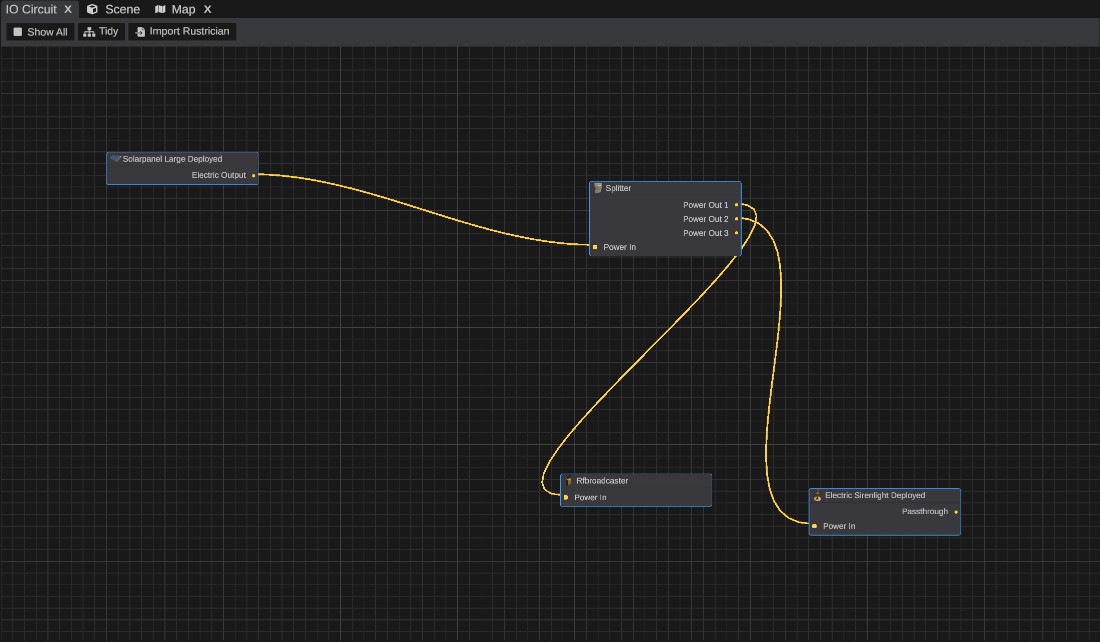
The Notifications panel says how many IO entities and wires were placed, and what was left out and why:
- Parts that cannot be placed on a map, such as the handheld RF Transmitter and RF Pager, and the Fuel Tank Vehicle Module.
- Wires that the wire rules do not allow. For example, two wires between the same two parts: one is made.
The import is one undo step.
Troubleshooting
| Problem | What to do |
|---|---|
| The IO entities in Add IO Entity are grayed out | You are in Play mode, or your license does not have RustEdit Pro or higher, or no map is open. |
| "No IO entity fits" | No IO entity has a slot of the wire's type. |
| "... is not a circuit exported from rustrician.io" | The file is not Rustrician's .xml export. On rustrician.io, export the circuit again as .xml. |
| "... was left out: the game has no prefab of it that can be placed on a map" | The part is handheld, part of a vehicle, or not in this version of Rust. Place a fitting IO entity with Add IO Entity and wire it. |
| "The wire ... was left out" | The wire breaks a wire rule. The message says which. Make the wire another way, for example through a splitter. |