Hosted Maps
RustEdit ProA Rust server can load a custom map from a link: the levelurl setting. Host Map For Server puts your .map file online on RustHQ and gives you that link. The server and its players download the map from it.
Before you start
- Sign in to RustHQ. Hosted maps need RustEdit Pro. You can have 25 hosted maps at one time, 100 with RustEdit Sponsor. They use your cloud space. See RustEdit Cloud.
- To host the open map, save it as a scene first. See Export a Map.
Host a map
- Open .
- Pick one:
- Host Open Map: the Export Map dialog opens. Check it and click Export. RustEdit sends the
.mapfile it wrote. - Host Map File: pick a
.mapfile on your computer.
- Host Open Map: the Export Map dialog opens. Check it and click Export. RustEdit sends the
- Wait for the upload. The new map is marked in the list.
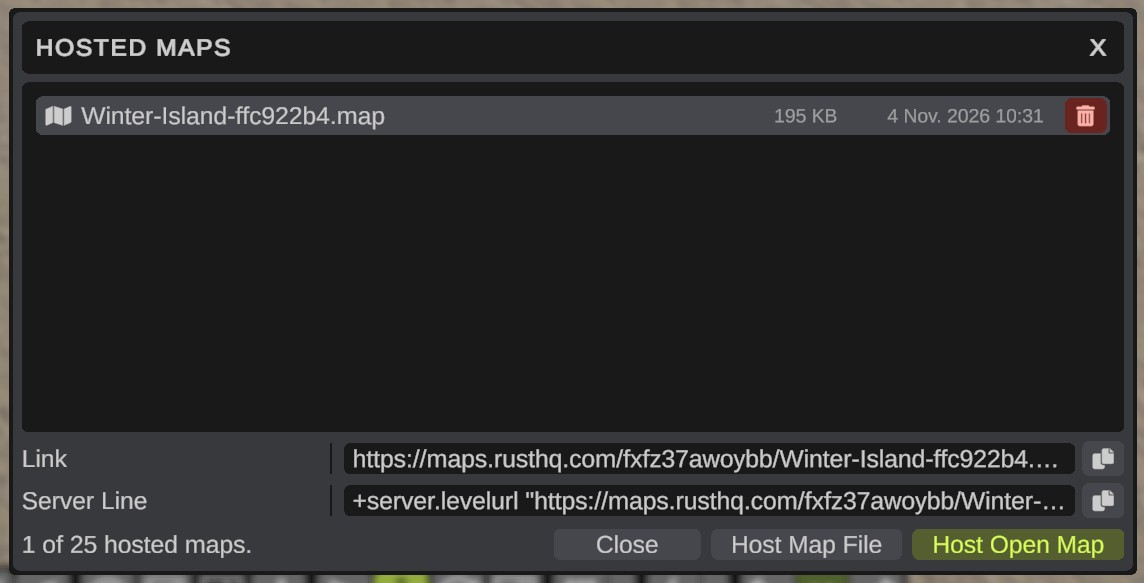
RustEdit checks that the file is a Rust map before it sends it. Each upload gets a new link: the map's name with a short code after it, for example Winter-Island-ffc922b4.map. A server that has a link always gets the same map, even after you host a changed one.
Use the link on your server
- Click the map in the list.
- Click the copy button beside Server Line. It copies
+server.levelurl "<link>". - Paste it into your server's start line. When the server starts, it downloads the map.
To copy the link only, use the copy button beside Link.
Players who join the server get the map from the same link, so they need no other download.
Delete a hosted map
Click the map, then click the Delete (bin) button on its row. Servers that use its link cannot download the map any more. Host the map again to get a new link.