Settings Sync
RustEdit PlusSync Settings keeps your own RustEdit files the same on every computer you sign in on: profiles, graphs, sockets, presets and more. It uses its own 50 MB of cloud space, apart from your files.
Turn it on
- Sign in to RustHQ. Settings sync needs RustEdit Plus.
- Open and pick the Cloud group.
- Turn on Sync Settings. It is off at first.
- Under Sync, turn off anything you do not want to sync.
- Do the same on your other computers.
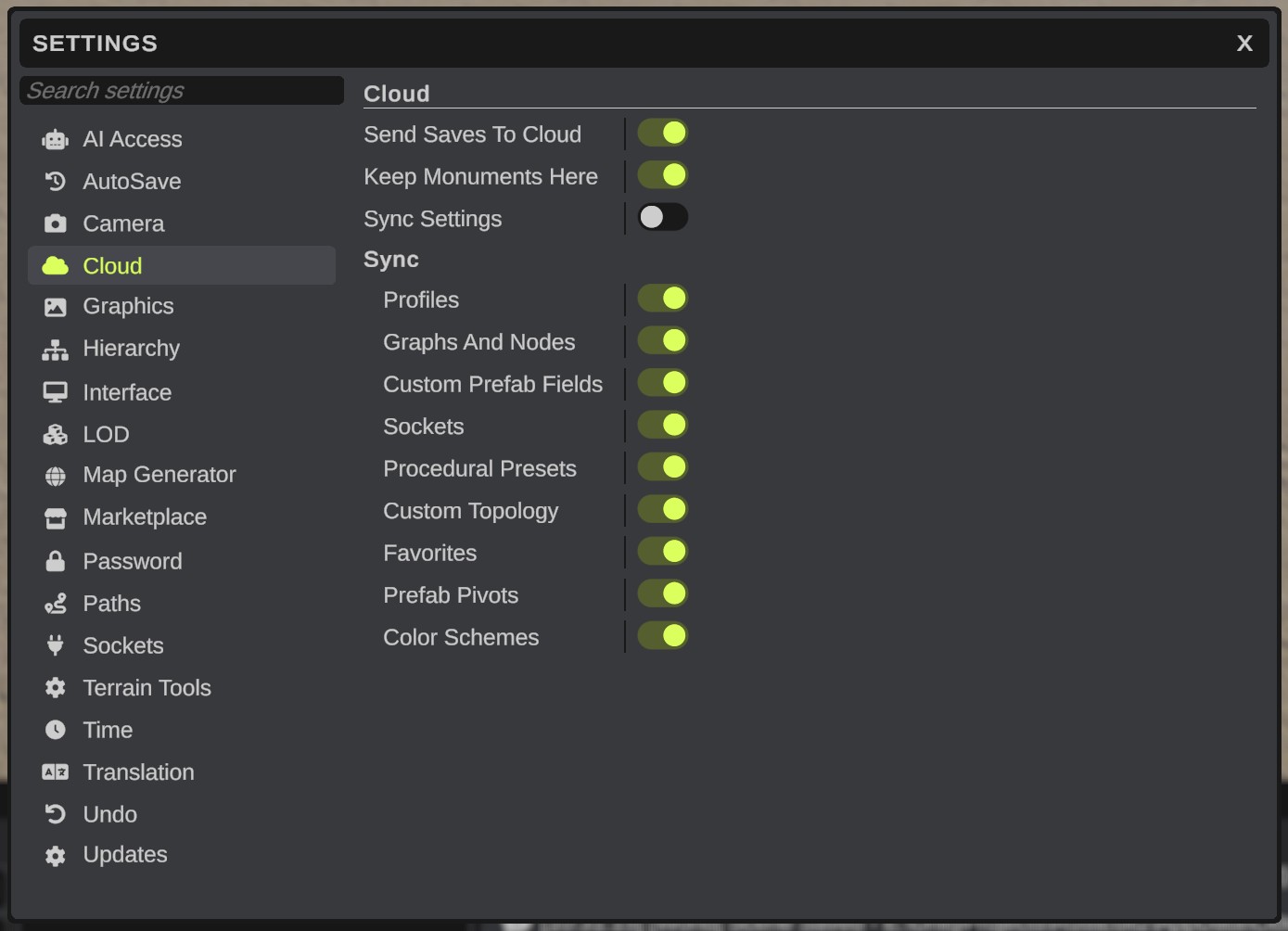
What it syncs
| Item | What it holds |
|---|---|
| Profiles | Loot, vending and loadout profiles, and prefab brush lists. |
| Graphs And Nodes | Custom terrain nodes, brush graphs and spline profiles. |
| Custom Prefab Fields | Your custom prefab field files. |
| Sockets | Your own socket definitions. |
| Procedural Presets | Your procedural generator presets. |
| Custom Topology | Your custom topology layers. |
| Favorites | The Content Browser's favorites. |
| Prefab Pivots | The pivots you set for prefabs. |
| Color Schemes | Your color schemes. |
Only your own files of these kinds are synced. Other settings, such as the camera or the interface scale, stay on each computer.
How it works
- RustEdit looks for changes every 5 minutes. Your changes go to the cloud. The Notifications panel says "[Cloud] Sent your settings to the cloud" and which items.
- Settings from the cloud are used at the next start of RustEdit, before anything reads them. Until then, the Notifications panel says that newer settings are ready.
- Before RustEdit uses settings from the cloud, it keeps a backup of the files they replace. It keeps the last 5 backups of each item.
- An item that is too large for the cloud is not synced, and the Notifications panel says so.
When both computers changed the same item
RustEdit asks once:
| Choice | What happens |
|---|---|
| Keep This Computer's | Your files go to the cloud. |
| Use The Cloud's | The other computer's files are used at the next start of RustEdit. Yours are kept in a backup. |
| Not Now | Nothing changes. RustEdit asks again at its next start. |
The other Cloud settings
| Setting | Default | What it does |
|---|---|---|
| Send Saves To Cloud | On | When you save a file that has a cloud copy, RustEdit also sends the new version. Off: only sends it. See Save And Open Cloud Files. |
| Keep Monuments Here | On | Copies your cloud monuments, and those in your team folders, into your Custom Monuments folder. See Cloud Monuments. |