AI Zones
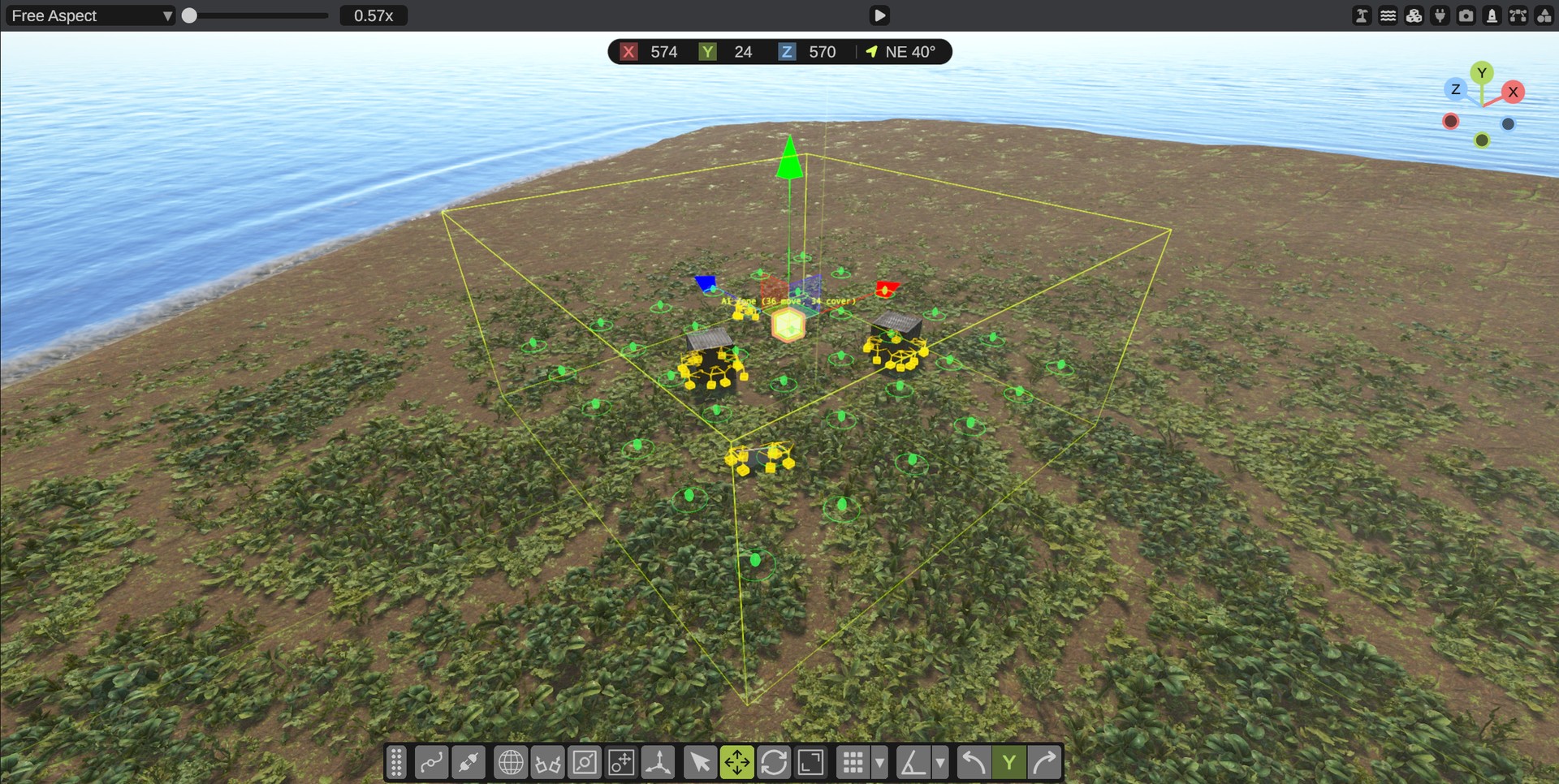
An AI zone is a box where Rust's NPCs find places to go. It holds two kinds of points:
- AI Move Points: places the NPCs walk to when they roam, and run to when they chase a player.
- AI Cover Points: places the NPCs hide. Each one faces what the NPC hides behind.
Rust has hand-made AI zones in its monuments, such as the oil rigs, the launch site and the military bases. A custom monument, or any other place on your map, has none until you add one.
Which NPCs use AI zones
| NPC | What it uses the zone for |
|---|---|
| Scientists of every kind, heavy scientists, tunnel dwellers, underwater dwellers, bandit guards | Where they roam, chase and take cover. Without a zone they stand still. |
| Gen2 scientists (Scientist2) | Cover points, when they find no hiding spot of their own. |
| Animals and all other NPCs | Sleep only. |
Add an AI zone
- In the Content Browser, open Server Objects and drag AI Zone into the scene.
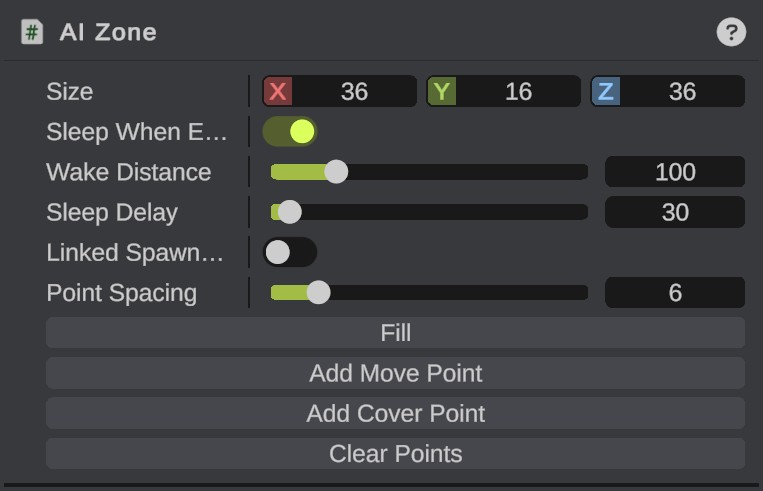
- Set its Size in the Inspector. Turn it with the rotate tool. The NPCs that stand in the box use its points.
- Click Fill. RustEdit puts a move point on each floor it can walk on, every Point Spacing meters, and cover points in front of walls, rocks and crates. Floors above each other in a building each get points.
- Check the points. Move, turn, duplicate and delete them as you like, or click Add Move Point and Add Cover Point for new ones.
Fill replaces all the zone's points. Ctrl+Z puts the old ones back. Place your prefabs first, so that Fill finds them.
The zone's points are its children in the Hierarchy. A point that you drag out of its zone is not exported. The points show when the camera is near or when their zone is selected, so a map with many zones stays clear.
Move points and cover points
- A move point's ring shows its Radius: the NPC counts as there anywhere inside it.
- A cover point's arrow points to what the NPC hides behind. The NPC takes the point when a player is on the other side, inside the Cover Angle. Rust uses 120 degrees.
- A cover point works best close to something at least 1 m high: a crouching person hides behind it.
- A move point's Wait Time is how long an NPC that walks one of Rust's patrol paths waits there. Roaming NPCs do not wait.
Sleep
With Sleep When Empty on, the zone's NPCs stop thinking while no player is within Wake Distance of the box. When a player comes near, they wake. Sleep Delay seconds after the last player left, they sleep again. Rust does the same in its monuments, to save server time. When the zone is selected, the scene view shows the wake area as a fainter box.
Give an NPC spawner its own zone
Normally an NPC uses the zone that it stands in. To give an NPC spawner its own zone, drag the AI Zone onto the spawner's AI Zone field. Its NPCs then use that zone's points wherever they are.
Turn on Linked Spawners Only on the zone to keep other NPCs out of it: only the spawners that name it use it. Rust does this for its puzzle rooms and for each floor of the launch site.
Without an AI zone
On the server, an NPC spawner of scientists that no AI zone holds gets a zone made round it. The zone is as big as the spawner's Max Roam Distance plus 10 m. Its points are found the same way Fill finds them. You can turn this off in the extension's config. See Server Extension Settings.
Place your own AI zone where you want to choose the points yourself.
Broken monuments
A broken monument has Rust's own AI zones with all their points, as on Rust's server. Its NPC spawners have their own zones where Rust's do.
AI zones need the RustEdit 2 server extension, and the map must be exported with Entities set to In RustEdit data. See Export Map.