Generate Text
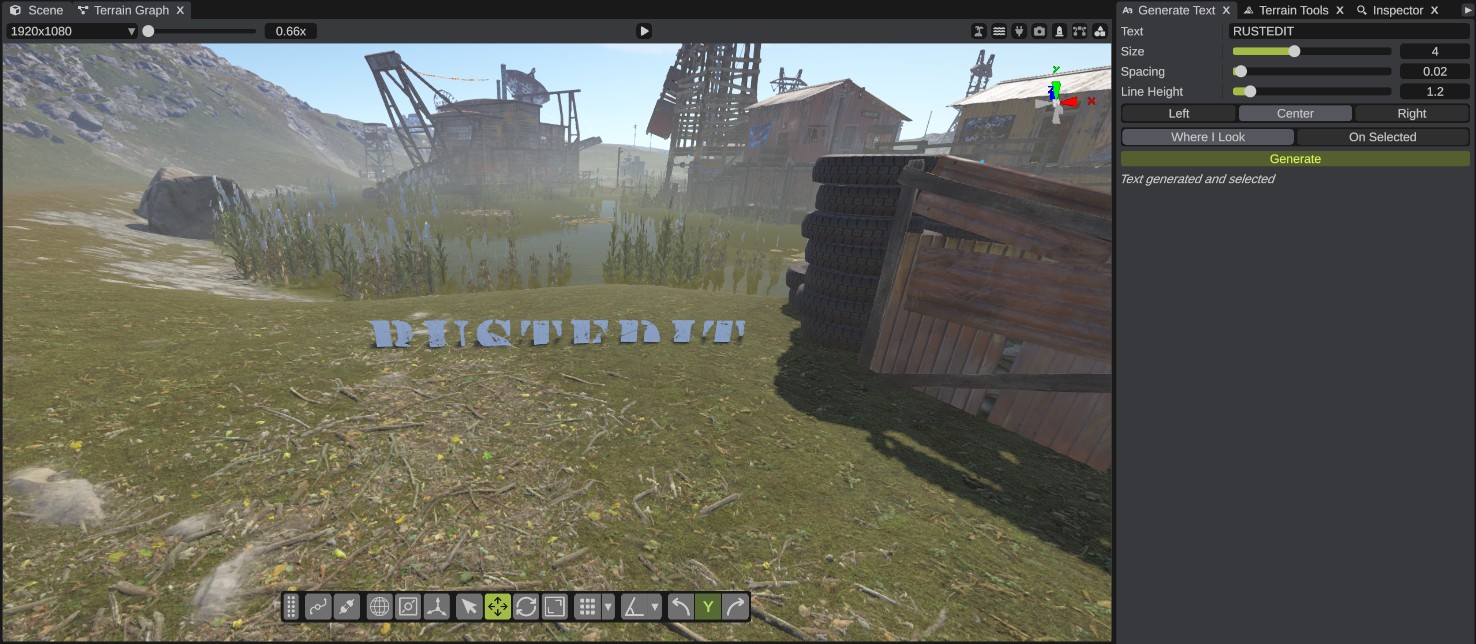
Generate Text writes text in the world with Rust's tunnel sign letters. Each letter and number is a prefab. The letters are grouped under one empty object, so you can move the text as one.
Open it with . It opens as a panel.
How to generate text
- Type the text in the Text box. Each line of the text is a line of signs.
- Set the size, spacing, line height and alignment.
- Pick where the text goes: Where I Look or On Selected.
- Click Generate. The text appears and is selected. The group is named "Text: " and your text.
Each Generate is one undo step.
Options
| Option | What it does |
|---|---|
| Text | Letters and numbers, up to 200 characters. Press Enter to start a new line. |
| Size | The scale of each letter. 0.25 to 10, default 1. |
| Spacing | Meters between letters, at size 1. 0 to 0.5, default 0.02. |
| Line Height | The height of a line, in letter heights. 1 to 3, default 1.2. |
| Left / Center / Right | How the lines line up on the place the text goes. Default Center. |
| Where I Look | On the ground in the middle of the view, facing the camera. If the middle of the view does not hit the terrain, the text goes 10 m ahead of the camera. |
| On Selected | On the selected object, turned like it. The text group is not made a child of that object. |
Which characters work
Only the letters A to Z and the numbers 0 to 9. Upper and lower case look the same. A space leaves a gap. Other characters, such as punctuation and accented letters, have no sign: they are left out and the panel lists them ("Text generated. These have no sign and were left out: ...").